






Lake City Bank Digital for Business

  • Fund Transfers — Transfer between Lake City Bank loan and deposit accounts.
  • Bill Pay — Disburse funds without writing checks, schedule payments and include invoice information with your payments.
  • Stop Payments — Place stop payments in Digital with confidence, since you can see if your item has cleared before placing the stop.
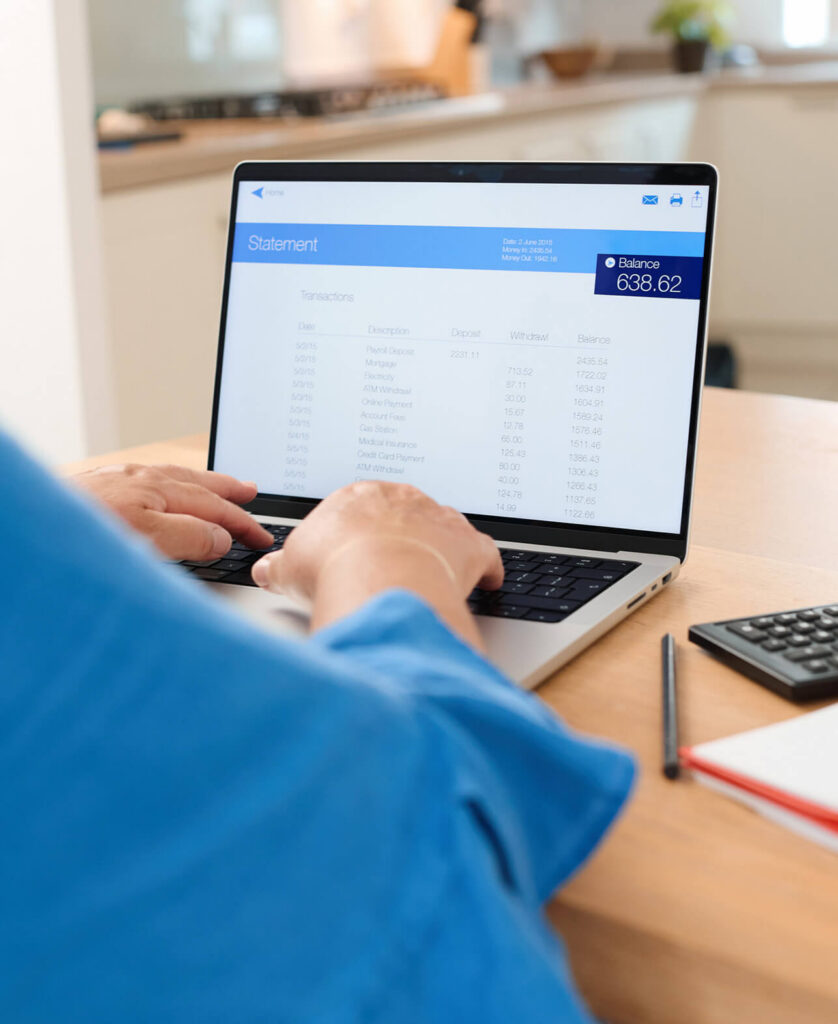
  • Online Statements — View and print seven years of deposit and loan statements on the day they’re generated.
  • Real Time Balance and Transaction Reporting — See balance and transaction information in real time. The available balance adjusts automatically as deposits, ACH transactions, wire transfers and internal account transfers happen.
  • Transaction Reporting — We maintain transaction history for seven years, and you can also view images of cleared checks, deposits and deposited items.
  • Reports — View and download reports based on seven years of your account history. Download reports in comma delimited, tab separated, PDF and BAI2 formats.
  • Access Services — Easily access money movement services including ACH Services, Instant Payments, domestic or international wire transfers, eLockbox and SurePayroll.
  • Deposit Checks — From anywhere, anytime.
  • Alerts — Set up text and email alerts for balance thresholds, posted transactions, pending ACH approvals, Positive Pay exception notifications, and more.
  • Fraud Protection — Security is built in to Lake City Bank Digital and controlled by you.

Money Movement Options

Move money efficiently and safely with options in Lake City Bank Digital.

ACH Services

Moving money is safe and efficient through Automated Clearing House (ACH) Services from Lake City Bank.

  • Transmit same day if desired
  • Eliminate paper check and wire transfer fees
  • Count on secure, accurate processing of each file
  • Send files easily through Lake City Bank Digital    

Instant Payments

When you send money with Instant Payments in Lake City Bank Digital, your payments are sent, received and settled instantly, 24/7/365. Instant Payments’ two-way communication links your payment and payment data together for more efficient transactions.

Wires

Initiate domestic or international wire transfers quickly and securely through Lake City Bank Digital.

Account Reconciliation

Deposit Account Reconciliation helps you view, organize and reconcile activity in your accounts easily online with Lake City Bank Digital. Manually or automatically match paid checks to your register.

Reporting Capabilities

BAI Reporting is a file format used for electronic cash management balance reporting and reconciliation.

The formats — BAI and BAI2 — are standardized codes used for cash management by the Bank Administration Institute (BAI). The two formats differ in their level of detail — BAI2 splits check totals into separate invoice references and associated payment amounts; BAI does not.

Lake City Bank provides BAI and BAI2 data according to your needs. Use Lake City Bank Digital to pull BAI reports, which you can schedule for automatic production for selected accounts. You can also use File Transfer Protocol (FTP) services to automate obtaining BAI and BAI2 data. Depending on your needs, you can push or pull BAI and BAI2 data to your accounting software.

Payment Acceptance

Credit Card Processing

Accept payments your way with Lake City Bank.

Autobooks

Lake City Bank partners with Autobooks to offer easy-to-use digital payment and cash flow tools, all within Lake City Bank Digital. With Autobooks, you can send invoices, accept payments, and manage what’s coming in — so you can keep your business running smoothly.

Use Autobooks with your enrollment in Lake City Bank Digital.

Pay no monthly fee.

  • Accept payments in multiple ways, including Tap to Pay, online payment links, and customized invoices.
  • Create and share dedicated checkout pages to accept payments online with no website required.
  • Take in-person, contactless payments directly from your Lake City Bank Digital mobile app with no additional hardware required.
  • Accept contactless debit and credit cards, Apple Pay, and other digital wallets using your iPhone.
  • Funds are deposited directly into your Lake City Bank business checking account.
  • Create and send professional invoices.
  • Track outstanding payments.
  • Set up recurring payments.
  • Typical payment processing fees apply.

For higher-volume merchants, we also offer a traditional Merchant Services program.

Flexible User Management

Lake City Bank Digital puts you in control of the users at your business who have access to specific accounts and features. Make your limits and restrictions as general or specific as you need them to be — down to the days, times and IP addresses at which users can take certain actions.

Security Features

Security is built into Lake City Bank Digital. You assign a company administrator who controls who uses Digital and what they can access. Logins and payment approvals are protected with a one-time Secure Access Code (SAC), delivered according to the user’s selected method: hard token, soft token, or SAC via phone call or text. You can also count on:

Start managing your business through Lake City Bank Digital today!

Lake City Bank Digital FAQ

Treasury Management Services and the fees associated with them are subject to the terms and conditions outlined in your Treasury Services Proposal with Lake City Bank. Contact your Corporate & Institutional Services Officer or call our support center at (844) 979-7164 for more information.

Meet Your Local Banker

We’d love to talk to you one-on-one.

Find a Branch Near You

Banking Tips & Insights