







Apple Pay® is built into Apple® devices like iPhone®, Apple Watch® and iPad®.1

  1. Ensure your device is running the latest version of iOS.
  2. Open the Wallet app.
  3. Tap the + icon to add a card.
  4. Choose Tap to Add and hold your Lake City Bank Visa®2 Debit Card near the back of your phone. You can also use your camera to scan the card or enter details manually.
  5. Follow the on-screen instructions to verify your card with your bank.
Learn More About Apple Pay

Google Wallet™3 is built into most Android phones, or you can download it on Google Play.

  1. Open the Google Wallet app and tap Add to Wallet at the bottom.
  2. Tap Payment Card.
  3. Choose Tap to Add and hold your Lake City Bank Visa®2 Debit Card near the back of your phone. You can also use your camera to scan the card or enter details manually.
  4. Follow the on-screen instructions to verify your card with your bank.
  5. Tap Save to complete the process.
Learn More About Google Wallet

Samsung Wallet™4 is built into most Samsung Galaxy devices.

  1. Open the Samsung Wallet app
  2. Tap the All tab, and then tap Payment Cards.
  3. Choose Tap to Add and hold your Lake City Bank Visa®2 Debit Card near the back of your phone. You can also use your camera to scan the card or enter details manually.
  4. Follow the on-screen instructions to verify your card with your bank.
Learn More About Samsung Wallet

How do digital wallets work?

In Person

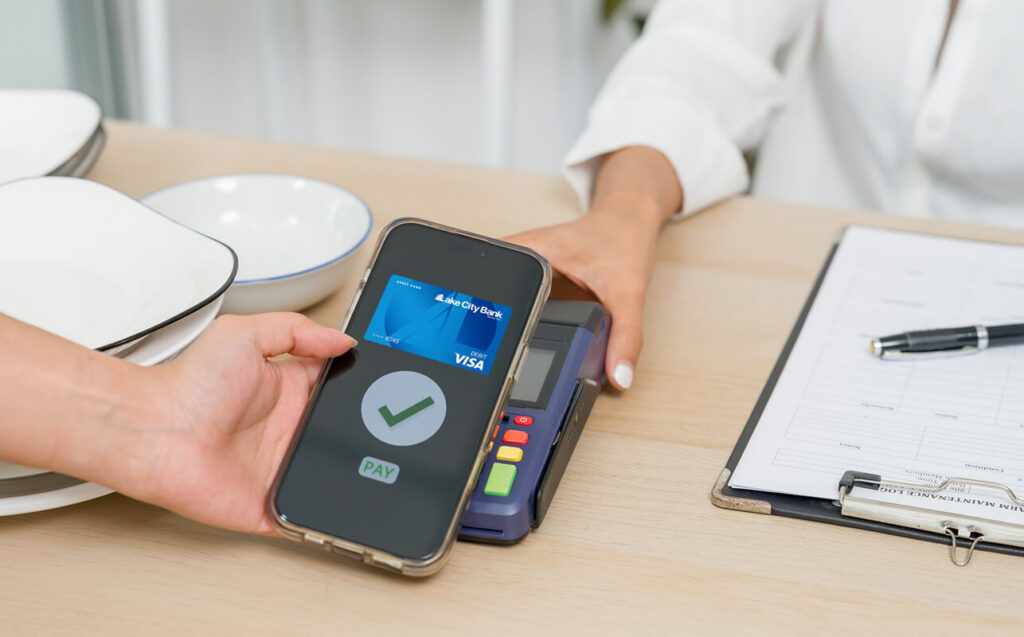
When making a payment in person, your digital wallet uses Near Field Communication (NFC) to securely transmit your payment information. The transaction uses a one-time token instead of your card or account numbers, ensuring your data stays safe. Simply hold your device near the terminal, and the transaction will complete without the need for swiping, inserting your card, or entering a PIN.

Paying Online

For online shopping, digital wallets make checkout quick and easy. You confirm your identity, often using biometric recognition like fingerprints or facial scans, and the payment is processed without the need to type in your card details.

Digital Wallet Benefits

A digital wallet is a great way to pay for plenty of reasons.

  • Security — Digital wallets protect your data with encryption, and biometric verification ensures that only you can authorize purchases. If your device goes missing, you can quickly disable your wallet remotely.
  • Speed — Transactions are completed in seconds without needing to enter account numbers or PINs.
  • Convenience — With your payment information stored on your device, you can leave your cards at home. You can also choose a default payment method for faster checkouts.

Getting Started Is Easy

Setting up your digital wallet is simple. Just follow the steps for your device and start enjoying the convenience and security of digital payments today.

Digital Wallet FAQ

1Apple Pay, the Apple Pay logo, iPhone, iPad and Apple Watch are trademarks of Apple Inc., registered in the U.S. and other countries. iOS is a trademark or registered trademark of Cisco in the U.S. and other countries and is used under license.
2Visa is a registered trademark of Visa International Service Association and used under license.
3Google Wallet and Google Play are trademarks of Google LLC.
4Samsung Pay is only available in select countries, with available devices. Features, card issuers and merchants may vary. Payment methods shown not available in all countries or locations. Samsung and Samsung Pay are trademarks or registered trademarks of Samsung Electronics Co., Ltd.
5The Contactless Symbol and Contactless Indicator are trademarks owned by and used with permission of EMVCo, LLC.

Meet Your Local Banker

We’d love to talk to you one-on-one.

Find a Branch Near You

Banking Tips & Insights

Practical Budgeting Methods That Actually Work

For many of us, creating a budget is the easy part. The hard part is sticking to a plan over the long term. Understanding your habits, strengths, and weaknesses can help you choose budgeting strategies that you’ll actually stick with.